


Sight Village London 2025 Day 2
On Wednesday 19th November, CENMAC Advisory teachers David Howard and Maureen De Longhi headed off to the event.
They were excited to discover that Sight Village isn’t just a trade show for companies to show their latest tech—it’s more of a community hub where visitors can explore the latest technology and meet with services aiming to make life more accessible and independent for people with vision impairment.
Here are some of their highlights:
Blind in Business
At CENMAC, Maureen works closely with many older students helping to guide them through the transition from education into employment. Maureen helps them build the skills and confidence they need for the workplace, so she found this stand particularly interesting.
Blind in Business is a UK charity dedicated to helping blind and partially sighted people achieve their career ambitions by providing tailored training, employment support, and resources for both job seekers and employers.
Opening Doors to Employment
Finding work can be daunting for anyone, but for blind and partially sighted people, the barriers are often greater. Blind in Business breaks down those barriers and supports young people to get into work. They offer practical support – from identifying career goals to preparing for interviews and securing the right equipment to succeed in the workplace.
Training for Success
Blind in Business runs specialist training programmes designed to build confidence and skills. These courses cover everything from CV writing and interview techniques to workplace technology and communication strategies. They also offer tailored sessions for younger students, parents, carers, teachers and even employers.
Events and Community
Beyond training and employment services, Blind in Business hosts events and awareness programmes. These bring together students, employers, and families to share experiences, learn about new opportunities, and raise awareness of visual impairment in the workplace. Their events are practical, inspiring, and community focused, reinforcing the idea that inclusion benefits everyone.
Support for Young People & Parents
Blind in Business runs free training courses across the UK for young people aged 13-16 and their parents or carers. These courses are designed and delivered by blind and vision impaired people, making them practical, relatable, and inspiring.
The charity works closely with schools, colleges, and teachers to arrange sessions, and they’re happy to collaborate with other organisations to reach more families. All they ask is that a venue and refreshments are provided – keeping things simple and accessible. They run group sessions as well as one‑to‑one and smaller and these are all funded through the charity.
Maureen is looking forward to working with them more in the future.
Dolphin Computer Access
Empowering Independent Learning
During his visit to Sight Village, David Howard had the pleasure of speaking with Mark Rice from Dolphin Computer Access about two of their flagship education offerings: EasyReader Education Plan and the SuperNova Education Kit. Both solutions are designed to break down barriers for learners with vision impairments and print disabilities, enabling them to access learning materials independently, confidently, and on equal terms with their peers.
EasyReader Education Plan
The EasyReader Education Plan is a game-changer for schools and colleges looking to provide accessible reading options for students with print disabilities.
Key benefits include:
- Accessible reading apps tailored for students with print disabilities
- Support for multiple formats including DAISY, ePub, and audiobooks
- Seamless integration with RNIB Bookshare and other accessible libraries
- Flexibility to read across devices: Windows, iOS, Android, and Chromebook
- Simple license management for institutions
- Affordable annual pricing based on student population
This plan ensures that students can engage with texts in the format that works best for them, whether that’s audio, large print, or braille. It’s about giving choice and independence back to learners.
SuperNova Education Kit
The SuperNova Education Kit has been upgraded and takes accessibility further by combining magnification, speech, and braille support into one powerful solution.
Key benefits include:
- All-in-one accessibility: magnification, speech, and braille support
- Purpose-built for educational environments
- Easy deployment and management across school networks
- Comprehensive training resources and support for staff and students
Schools can create inclusive classrooms where every learner has the tools they need to feel confident, independent and included.
Why These Tools Matter
What struck David most in his conversation with Mark was Dolphin’s commitment to empowering learners. EasyReader and SuperNova are software that enable independence. They allow students to access the same materials as their peers, in ways that suit their individual needs, and they give educators the confidence that accessibility is being addressed effectively.
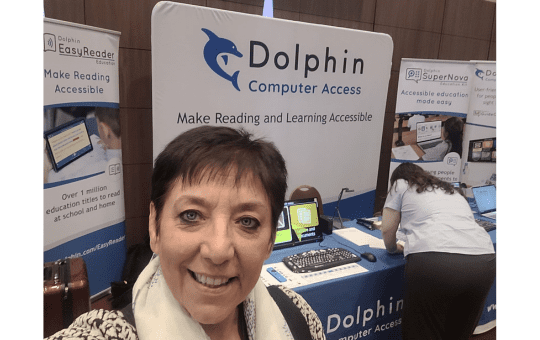
Advisory Teacher Maureen De Longhi in front of the Dolphin Computer Access stand at Sight Village
RNIB
David and Maureen met Parm Choudhry on the RNIB stand who talked to them about some of the services they offer. They advise on magnifiers and other specialist tech devices, but we were particularly interested in some of their services that aim to support the wellbeing and emotional and mental health of some of the students we work with and help them with social connections.
They have launched a Low Vision Framework to guide clinics and other VI professionals in delivering consistent and personalised support.
> Access the Low Vision Framework
RNIB – Adult Low Vision Service Quality Framework
HumanWare
BrailleNote Touch
David was particularly interested in exploring some of the tools on the HumanWare stand. He’s always been a fan of the BrailleNote Touch, so it was exciting to see the next generation of these devices. The fact that they are now compatible with Microsoft Windows and Microsoft Word is a major advantage, as it allows users to work much more independently and seamlessly in both school and workplace settings. This compatibility means the devices fit naturally into everyday ways of working, giving users greater confidence and autonomy.
Monarch
Another device that really caught David’s attention was the Monarch, HumanWare’s flagship tool for braille users. It features a matrix of braille keys that enables 3D images and diagrams to be read through braille. As a teacher, David found this particularly impressive because teaching maths through braille is notoriously challenging. It often requires switching between a BrailleNote and a Perkins Brailler to complete tasks. The Monarch makes processes like long division, multiplication, and graphing far more accessible, making it a powerful tool for students studying maths or science through braille.
The only drawback, unfortunately, is the cost. At over £14,000, it’s certainly not the cheapest option available!
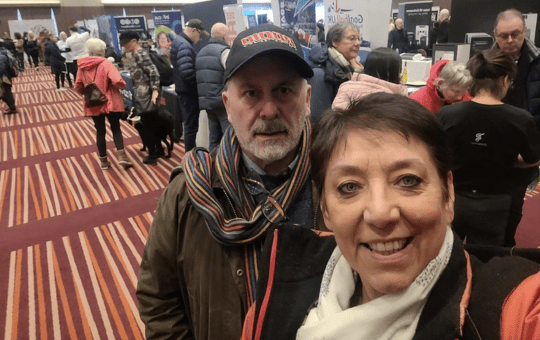
David Howard and Maureen De Longhi in the exhibition hall at Sight Village
Vision Aid
At the Vision Aid stand, we explored a range of solutions that could work for students in the classroom – from magnification devices and screen readers to practical daily living aids. We could see how some of their tools could be used in a classroom to enable students to engage with their learning more easily.
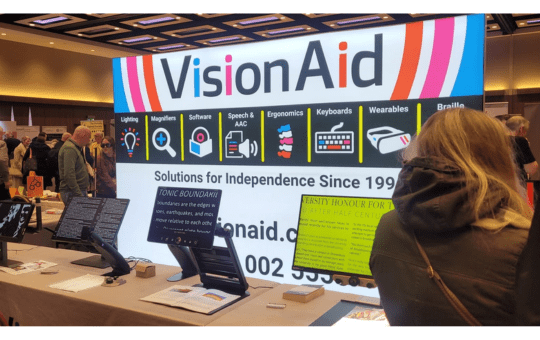
The Vision Aid stand at Sight Village
Seminars at Sight Village
David and Maureen also attended several webinars during the event, some of the ideas learned are outlines below.
Blind Ambition
Seema Flower introduced how Blind Ambition empowers blind and partially sighted people towards employment, further education and practical training. We found out about their recruitment websites, forums, wellbeing courses and other practical resources.
Key Themes of the Seminar
Employment and Training: Blind Ambition highlighted its work in helping visually impaired people access jobs in hospitality and other industries. The seminar showcased how tailored training can build confidence and equip participants with the skills employers are looking for.
Disability Awareness: A major focus was on raising awareness among businesses. Blind Ambition shared strategies for creating inclusive workplaces, emphasising that accessibility benefits everyone, not just those with sight loss.
Community Engagement: The seminar encouraged attendees to share experiences and connect with others. Blind Ambition’s team invited visitors to drop by their stand, meet the trainers, and learn more about ongoing projects across the UK.
Practical Support: Attendees heard about the organisation’s disability and visual awareness training programmes, which are designed to help both individuals and employers understand the realities of living and working with sight loss.
The Blind Ambition seminar was interesting and practical, offering realistic solutions. Their mantra, “Success Starts With The Mind, NOT The Eyes” is inspiring and demonstrates a strong sense of how inclusion can be achieved in everyday life.
You can find out more by checking out their website: https://www.blindambition.org.uk
Stay in Command
David attended a seminar session called ’Stay in Command’, all about making iPhones and iPads work smarter with Bluetooth keyboards and braille displays.
Matthew Horspool from the Braillist Foundation showed everyone how to connect devices, set up shortcuts, and tweak features to make everyday tasks quicker. Matthew is the General Manager of the Braillists Foundation, which is an organisation dedicated to promoting braille and braille technology. Matthew is also Braille Subject Lead for the UK Association for Accessible Formats UKAAF, where he advocates for accessible literacy. In these roles, he aims to strengthen braille’s visibility, and adoption across education and everyday life to make it easier for people with VI to access and to use.
It wasn’t just about the tech—Matthew also shared handy tips for remembering shortcuts and using them to save time. People got stuck in with demos, asked lots of questions, and David left feeling more confident about using these devices.
The key points he took away were:
How to Connect Devices: Pair Bluetooth keyboards or braille displays and check accessibility settings with VoiceOver.
Customising Shortcuts: Adjust shortcuts and create personal commands for frequent tasks.
A key feature David discovered was the VoiceOver key. David wasn’t aware of this before and could see how it makes lots of things much easier. On your keyboard, this is usually Caps Lock or Control + Option.
This session gave David lots of food for thought and he intends to do a lot more practice to get to know how to use these useful tips to best effect.
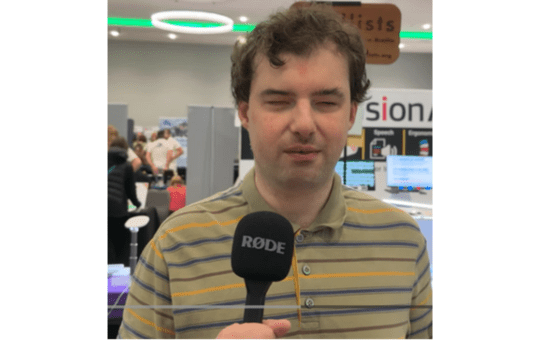
Matthew Horspool, General Manager of the Braillists Foundation