


How Assistive Technology Helps Me Learn on an Equal Footing
Student Blog by Ananya
This is a blog is written by one of our CENMAC students Ananya, who is currently studying for her A levels at a mainstream school.
About Ananya
I have been severely visually impaired from birth (blind in one eye, with very little sight in the other), and I would not have been able to achieve what I have academically were it not for the assistive technology I use on a daily basis.
How Assistive Technology Supports My Learning
I attend a mainstream school and currently study Physics, Maths, Further Maths, and English Literature at A level. Thanks to the assistive technology that supports my learning, I am able to engage on an equal footing with my sighted peers, as my set-up is easy to integrate into almost any classroom.
Below, I explain exactly what I use and how, alongside some top tips for other students wishing to integrate more technology and digital processes into their schoolwork.
Sharing Lessons Via Microsoft Teams
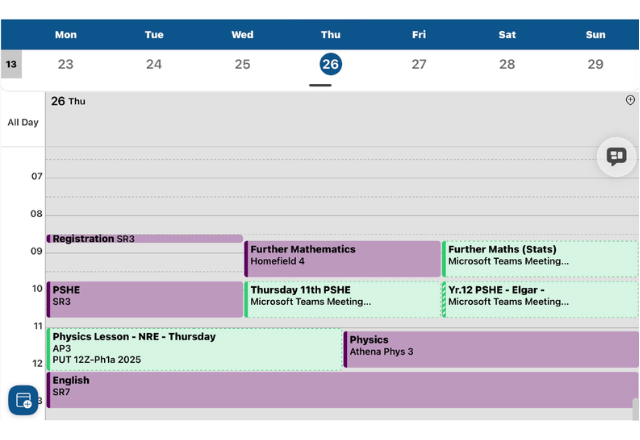
At the start of the school year, each of my teachers schedules a Microsoft Teams meeting that repeats weekly. Then, at the start of every lesson, we both join the call. The teacher joins from the computer that is mirrored to the classroom whiteboard, and also from their iPad. Once on the call, they share their screen with me. This is the same screen that is shown to the class, so what I see on my iPad is synchronised with what my peers see.
Some visually impaired students have the PowerPoint presentations shared with them before class or use other alternatives to this approach. I used to do this, but I find my current way of working much better because I can see when a teacher plays a video, when the slides change, and any animations or annotations that are added.
Completing My Work Digitally with Goodnotes
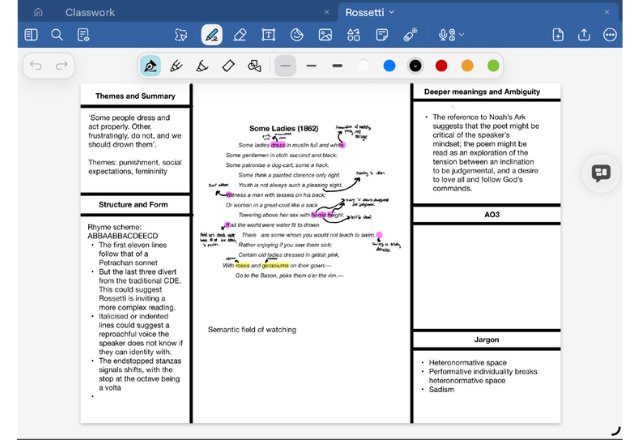
As for lesson content, I complete all my work—tests, homework, and classwork—electronically, often using a keyboard and Apple Pencil. Most of this is done in an app called Goodnotes. As a STEM student, I find Goodnotes particularly useful compared with other applications because it allows you to import documents as PDFs into existing digital notebooks, akin to sticking a worksheet into a folder or filing a handout with other material. Moreover, the writing surface is very intuitive and includes a digital ruler, protractor, and the ability to convert handwriting into LaTeX if needed.
Apps That Support My Learning and Revision
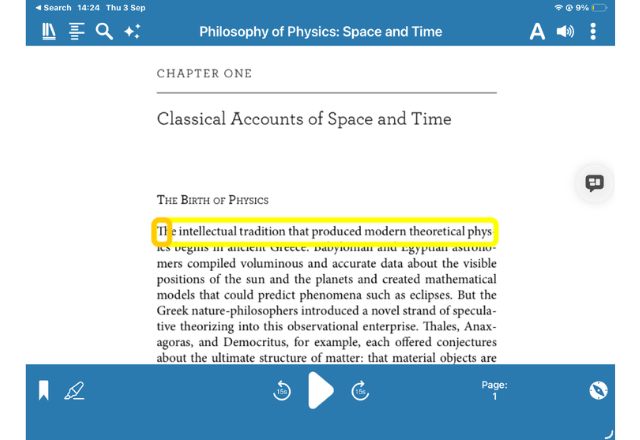
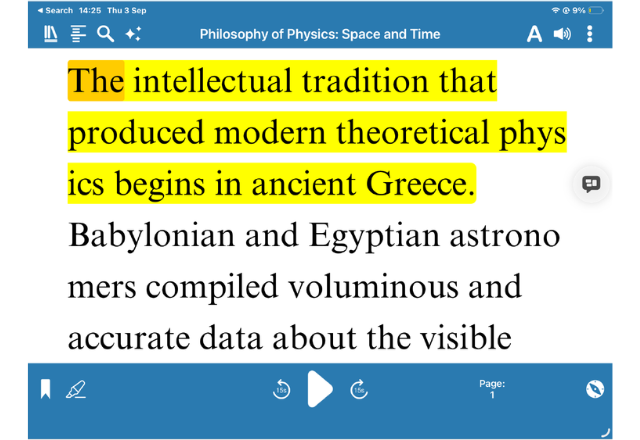
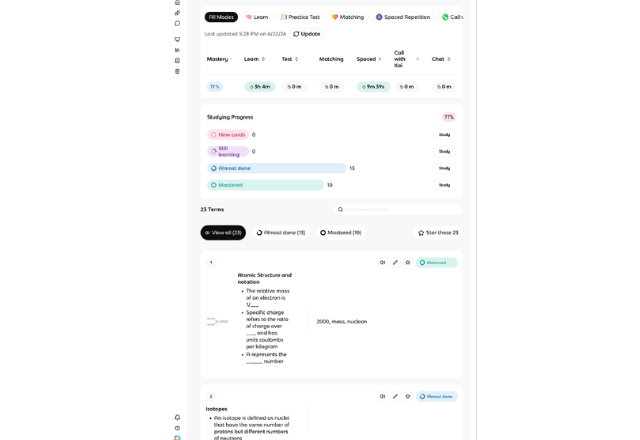
I also use a digital calculator app developed by CASIO instead of a physical calculator. It has a zoom function that maintains resolution very well. To revise, I use the platform Knowt, which is almost identical to Quizlet. However, many of Quizlet’s paywalled features are available for free on Knowt, making active recall much more accessible. I also greatly enjoy reading, and I primarily use Dolphin EasyReader for this. The app highlights each word as it is read aloud, making it much easier to follow the text. As well as reducing eye strain, processing visual and auditory input simultaneously helps improve retention and makes reading more engaging. I also subscribe to EasyReader Premium, which allows me to import any text-based PDF and have it read in this format.
Making Whiteboard Work Accessible
When my teachers need to use a whiteboard, they often do so in an application such as OneNote, using their iPad so that everything is mirrored to my screen, as described above. In a mainstream school, this has the added benefit that my classmates can easily catch up on missed notes because the OneNote page is not erased. Furthermore, teachers can annotate lesson slides far more easily than they can in PowerPoint or using a whiteboard stylus.
Using a Camera to Zoom in on the Whiteboard
This year, however, I have experimented with using a camera directed at the whiteboard. The portable camera plugs into a laptop, allowing the content to be mirrored to my screen, where I can zoom in as needed. This has worked very successfully over the past year. It has also allowed me to become more independent and has enabled lessons to flow more seamlessly because, once the camera has been set up initially, the teacher does not need to do anything in subsequent lessons for it to work effectively. That said, I would caution students who are considering this set-up. Although the camera is incredibly helpful, it takes time to set up and adjust to. Additionally, some types of pens and lighting are incompatible with it, and it limits where you can sit in the classroom. Even so, I believe it is well worth it. Once set up, the camera is very reliable, and I can follow lessons just as well as my sighted peers.
Ananya’s Top Tips!
Top Tip 1: Don’t be afraid to stand out
I am the only person at my school with a visual impairment. No one else uses a cane, completes all their work on an iPad, or has a camera in lessons. It can be hard to do things differently compared to my peers, however, it is important to remember that assistive technology’s entire purpose is to level the playing field and gives you the same opportunities as everyone else. Some of my classmates have even adopted aspects of the way I work, such as using Goodnotes and EasyReader, after seeing me use them. That is because working digitally is often far easier, regardless of whether someone has a visual impairment.
Top Tip 2: Stay organised
It is far easier said than done, but staying organised, is essential when relying on technology. I personally have OneDrive folders for all my subjects and try not to have any loose documents floating around.
It is also extremely important to ensure that all your work is backed up to iCloud or another cloud storage service, just in case your device is lost or something goes wrong.
Top Tip 3: Ask for help
It might sound cliched, but people can underestimate the courage it takes to ask for help sometimes. It is important to remember that there are plenty of people who want to help, as well as other students who have likely experienced the same challenges as you. Even though it can seem intimidating at times, asking for help is the only ways people will know that you need it.
When I was younger, I practiced asking strangers for help (with adult supervision) to build this skill. Of course, if you don’t need help, it’s always okay to politely refuse, but it’s a worthwhile skill to develop!