


Safer Internet Day 2026 – Smart Tech, Safe Choices
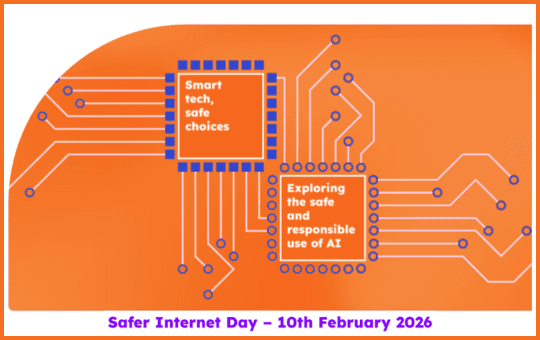
Safer Internet Day 2026 will take place on Tuesday 10th of February. The theme is ‘Smart tech, safe choices – Exploring the safe and responsible use of AI’.
AI is everywhere and everyone is talking about it. It’s important that our children and young people have the skills and confidence to make safe choices when they are using smart technology.
This Safer Internet Day is all about exploring the impact of AI on our lives and how it can be used safely and responsibly.
The UK Safer Internet Centre has lots of free educational resources to help schools talk about AI. The resources cover a range of issues from looking at voice assistants and chatbots, to exploring some of the ethical considerations in responsible use of AI technology.
Top tips and advice for parents, carers and grandparents covering how to talk about AI are also be available.
BBC Bitesize – Safer Internet Day 2026 – Live Lesson
LIVE at 11:00am, Tuesday 10 February 2026
What will happen in the Live Lesson?
Join BBC Bitesize for an AI technology themed Live Lesson on Safer Internet Day 2026 and explore how to stay safe online.
Designed for KS2 primary school pupils, this interactive lesson will tackle online safety challenges that young people face today.
The 30-minute Live Lesson will be live at 11:00 on Tuesday, 10 February on the BBC Bitesize website, on the CBBC channel and on BBC iPlayer.
> Access the BBC Bitesize website
How to get involved:
The programme is live and will be accompanied by a live website commentary feed for schools on this page. We’ll be updating it with your comments and shout-outs live throughout the broadcast.
Email your shout-outs to live.lessons@bbc.co.uk with Safer Internet Day as the subject, or get in touch using the get in touch form or using #BBCLiveLessons.

Top tips for staying secure online
The National Cyber Security Centre have provided these top tips to ensure you are doing all you can to stay secure online.
Top Tip 1
Protect your email by using a strong and separate password
Cyber criminals can use your email to access many of your personal accounts, leaving you vulnerable to identity theft.
Top Tip 2
Install the latest software and app updates
Software and app updates contain vital security updates to help protect your devices from cyber criminals.
Top Tip 3
Turn on 2-step verification (2SV)
2-step verification is recommended to help protect your online accounts.
Top Tip 4
Password managers: how they help you secure passwords
Using a password manager can help you create and remember passwords.
Top Tip 5
Backing up your data
Safeguard your most important data, such as your photos and key documents, by backing them up to an external hard drive or a cloud-based storage system.
Top Tip 6
Three random words
Use three random words to create a password that’s difficult to crack.
Top Tip 7
Strong and separate password
Use a strong and separate password for your email.

Teaching Resources for Safer Internet Day
Andersen Press and Centre for Literacy in Primary Education (CLPE) have created some fantastic resources to help schools use books to discuss screen time, online safety, cyber bullying and the dangers of social media.
The resources are based on the series of hilarious cautionary tales for a new generation of young internet-users from the prize-winning partnership of Jeanne Willis and Tony Ross:
Chicken Clicking
Troll Stinks
#Goldilocks
Old Macdonald Had a Phone
Resources to support conversations with neurodiverse young people
These resources provide topics and suggestions for starting and having discussions with neurodiverse young people about their online experiences. Click on the image to download the resource.


